BETA
Built for BOOX & Onyx Notes

Your handwritten notes, always in sync

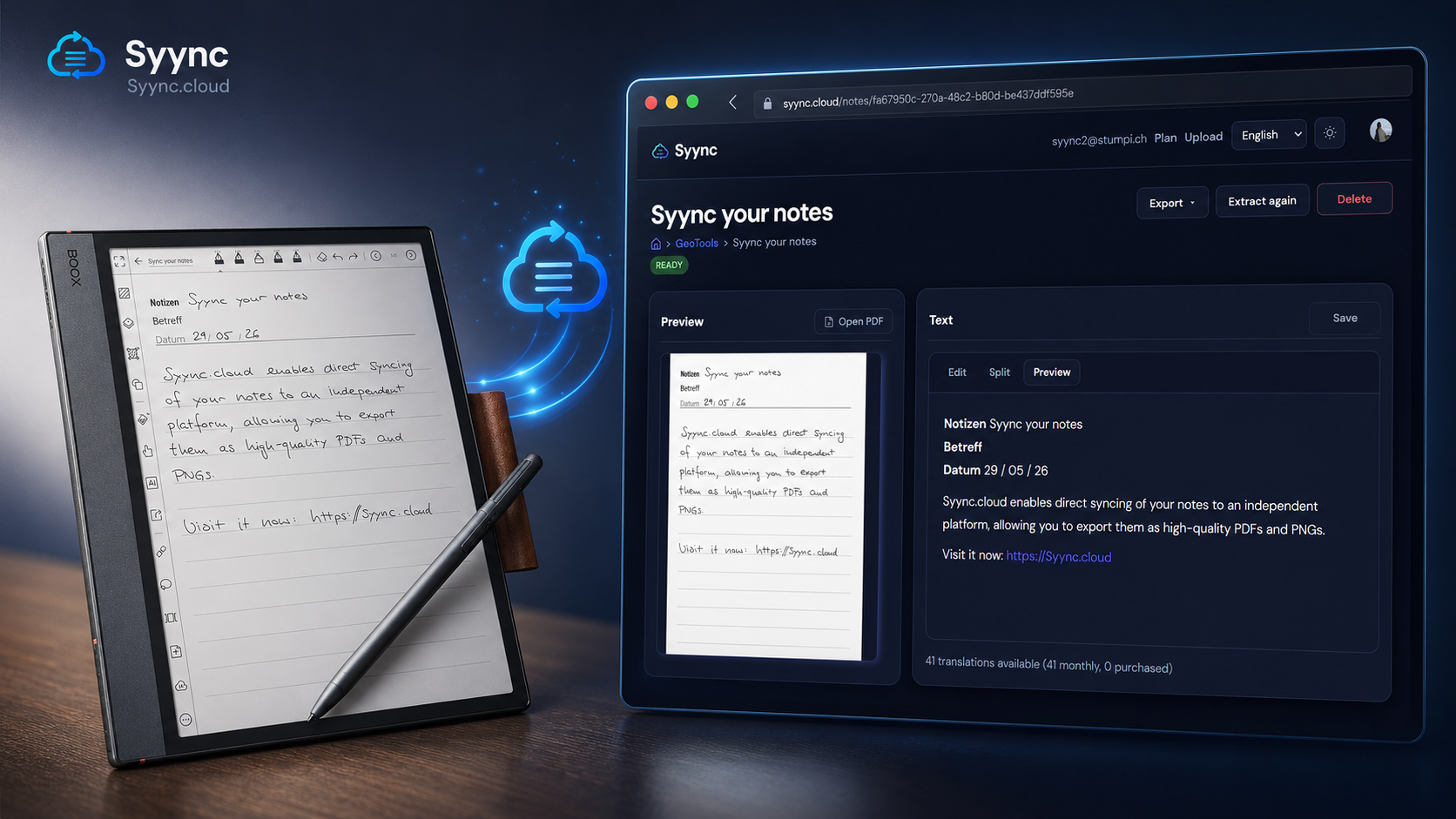
Syync turns your BOOX backup into beautiful PNG and PDF exports — organized in the cloud, ready whenever you need them.
BOOX Notes beta — testers wanted →

See how it works

Syync on an e-ink tablet, iPad, and laptop: sync notes and export as PDF.

Designed for students, professionals, and creatives who rely on e-ink.

Everything you need

From backup upload to export — one seamless workflow.

Smart sync

Install the Syync app on your Boox for automatic notebook sync — or upload a BOOX Notes ZIP backup.

📄

PNG & PDF export

Single notes, whole folders, or your entire library as ZIP — PNG or PDF, available on every plan.

📁

Folder tree

Your original notebook hierarchy is preserved — browse notes exactly as on your device.

AI recognition

Handwriting is converted to Markdown with AI — searchable, copyable, and editable.

New

Cloud storage

Access your library from any browser. No more digging through device backups.

Background processing

Large archives convert in the background with live progress — no tab left hanging.

How it works

From your Boox to the cloud — app or backup.

1

On your Boox

Install the Syync app: notebooks sync to Syync automatically. Or create a Notes backup on the device.

2

On Syync

With the app, sync runs automatically. With a backup, upload the ZIP to Syync — we detect notes, folders, and pages.

3

In the browser

Preview pages, export PDF or PNG (per note, folder, or entire library), and run AI handwriting → Markdown analysis.

Simple pricing

Pay for the documents you need. Upgrade anytime.

Save with annual billing

AI is available on every plan. Starter and Pro include monthly credits; you can buy more anytime: $5 = 100 automatic handwriting-to-Markdown translations.

Free

$0

forever

10 documents

  • Syync app or ZIP upload
  • Export: note, folder & library
  • AI handwriting → Markdown
  • AI credits from $5 (100 pack)
  • 10 documents
Get started free

Starter

$7

/ month

$70 / year

100 documents

  • Everything in Free
  • 100 documents
  • 10 AI translations/month included
  • Edit Markdown
  • Buy extra credits anytime
Coming soon

Frequently asked questions

Everything about sync, exports, AI recognition, privacy, and pricing.

What is syync?

How does the sync process work?

What file types do I get?

Does syync preserve the look of my handwriting?

How does the AI handwriting recognition work?

Where is syync hosted?

What happens to my note data during AI transcription?

Is my note content sent to the cloud?

Do you guarantee data retention/deletion and specific security settings?

Is there a “bring your own API key” option?

What languages are supported?

How accurate is the Markdown output?

Can I edit the Markdown?

Where do I use the Markdown?

Is syync a paid service? What does it cost?

How does the credit system work?

What about the beta?

Which BOOX models are supported?

Which devices and firmware versions do you support?

Does Syync work without Obsidian?

Can I delete uploaded notes?

Can I export everything as a ZIP?

Can I test by uploading a backup ZIP instead of using the app?

Troubleshooting

My notes don’t appear after upload

  • Double-check that the ZIP is a valid BOOX Notes backup.
  • Try uploading a smaller notebook first.

AI output quality is poor

  • Ensure handwriting is captured clearly (no excessive blur/tilt).
  • If you have consistent formatting issues, send us one example (plus your device model/firmware).

Exports look off

  • Confirm you’re using the intended export mode (PNG vs PDF).
  • If stroke fidelity differs from expectations, report it—we’ll use it to tune exports.
Contact

Ready to sync your notes?

Create a free account and upload your first BOOX backup in minutes.

Create free account